The run monitor: watching your keys work
A lane per API key showing how the batch was spread, live meters against each key's limits, and a one-click re-run of only what failed.
In this article (6)
Runs keeps every run: status, progress, cost and when. Open one and you get the monitor — the clearest view of what FlowArray is actually doing on your behalf.

Across your keys
The headline panel is a lane per API key in the pool, showing how the run's items were spread over them: generating, done, failed, queued, plus any retries. This is the parallelism made visible — and the quickest way to see that adding a key genuinely widened the road.
While a run is live, each lane also shows a meter: parallel slots in use, and requests per minute against that key's limit. A key that has hit a provider limit shows Cooling down and picks up again by itself.
The rest of the page
- A summary: mode, fan-in behaviour, items in flight, total estimated cost.
- A per-item table: status, which key ran it, attempt number, latency, cost — and a Reused marker where a pinned step served a cached result at no charge.
- Badges saying how the run started: Scheduled (a schedule) or Triggered (a trigger or the API). No badge means a person pressed Run.
- Needs review on any item a bounded Repeat loop could not get past its condition — it finished with its best attempt and is flagged rather than quietly passed off as good.
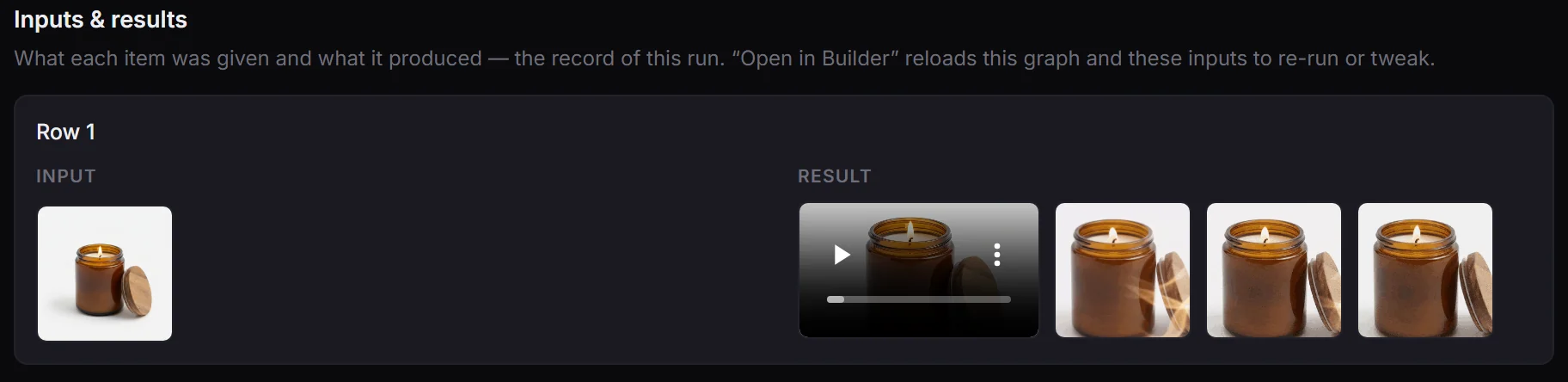
- Open in Builder rehydrates the whole flow with this run's real data, which is the fastest way to work out what a run actually sent.
Stopping a run
Stop run (while a run is going) stops it for good. Nothing new starts. A step already running at the provider finishes and is billed (a video mid-render can't be recalled, and its result is kept); items not started yet, and items waiting for approval, stop at $0 and show as failed with the reason stopped, so Retry failed can pick them up later.
When something failed
Retry failed re-runs only the failed items, keeps the successful ones, and shows the estimated cost before you confirm. You never re-pay for what already worked.
If the failures are all the same, read why a run failed — the error class tells you whether it is worth retrying at all.
Finding an old run
The Runs list has search, a status filter, a date range and pagination. Every run links to its workflow, and every output it produced is also browsable in the Library.
Not watching it
You do not have to sit here. The bell tells you when a run finishes, and it can reach you by email or webhook — see notifications.