Pools: which keys a step uses
A pool is a named group of your API keys for one AI provider. Each step picks a pool by name, so nobody building a flow ever handles a key — and you can see whose keys paid for what.
In this article (6)
In plain words
An API key is the password-like code an AI company (Google Gemini, Anthropic Claude, fal.ai, OpenRouter) gives you so it can bill you for what you use. A pool is a named group of those keys for one company — for example "Kathy's Gemini" or "Team Claude".
When you build a flow, each AI step simply says which pool to use: "make this image with the Team Gemini pool". You never paste or see the key itself — an admin adds keys once, and everyone else picks a pool by name.
Why bother with a group instead of a single key?
- Know who used what. Give each person their own pool with their own key — "Kathy's Gemini", "Villaflor's Gemini" — and each provider's own bill (and Settings → Usage here) shows exactly whose work spent what.
- Go faster on big batches. With two or three keys in one pool, FlowArray spreads the items across all of them at once, so a big batch finishes sooner.
- Keep going when one key is busy. If a provider tells one key to slow down, the pool carries on with the others instead of the whole run failing.
A good starting setup: one pool per provider for the team ("Team Gemini", "Team Claude"). Add a personal pool for anyone whose spending you want to track separately.
Creating one
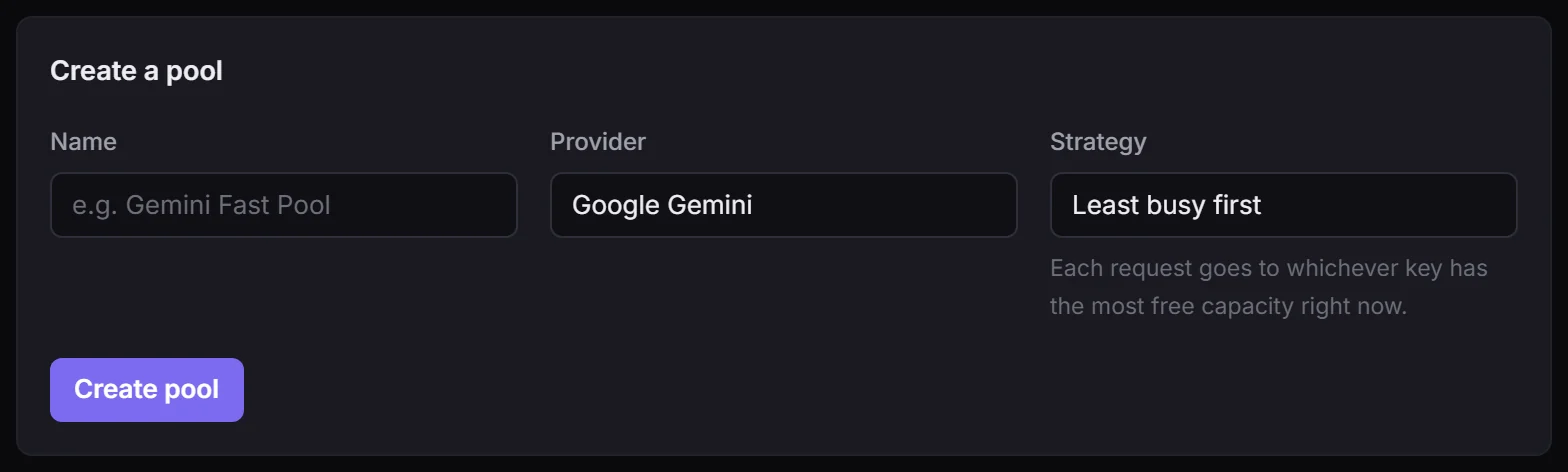
Pools → name, provider, strategy, then add keys to it. A key can be in more than one pool. Builders then pick the pool by name on any AI step and never handle a key.
Strategies
| Strategy | Behaviour |
|---|---|
| Least busy first (default) | Each request goes to whichever key has the most free capacity right now |
| Rotate evenly | Take turns across the keys |
| Weighted | Favour keys with a higher weight |
| Priority order | Use higher-priority keys first |
| Backup only | Use a backup only when the primary is unavailable |
Least busy is the right default and the one that makes a big batch finish fastest. Priority and backup are for "use the cheap account first" and "keep this key for emergencies".
What the pool does for you during a run
- Spreads items across every enabled key at once, which is why forty images take about as long as the slowest few.
- Holds work back before it becomes an error, using each key's requests-per-minute and parallel settings.
- Steps aside a key that is cooling down (a provider asked it to wait) or has hit its own allowance, and keeps serving from the rest. One busy key never stops the flow.
- Honours the provider's own retry timing when one is sent, rather than guessing a cooldown.
You can see all of this happening in the run monitor, which draws a lane per key.
What pools are not
Pools aggregate capacity you legitimately have — several of your own organisations or projects, a client's own key that they asked you to use, a second account you genuinely hold. That is the honest framing and the only one FlowArray supports.
They are not a way around a provider's rate limits, and more keys does not reliably mean more throughput: where a provider meters per organisation or per project (OpenAI per org, Gemini per project), two keys from the same account share one limit. Tell FlowArray about that with the Shared account field and it will stop assuming capacity you do not have.
Keeping spend bounded
Set a Daily spend cap on the pool itself (here), a per-key cap on the API keys page, and the workspace-wide ceiling in spend limits — whichever is reached first applies. A key that has spent its own allowance steps aside and the pool keeps serving from the others.