The daily spend limit
One number that bounds what the whole workspace can spend in any rolling 24 hours — the guard you want in place before anyone else, or any trigger, can start a run.
In this article (6)
Set this before you invite anyone. It is the difference between a mistake costing a few dollars and a mistake costing whatever the API will do in an afternoon.
Setting it
Settings → Workspace → Daily spend limit. Enter a dollar figure; leave it empty for no limit. Owners and admins only.
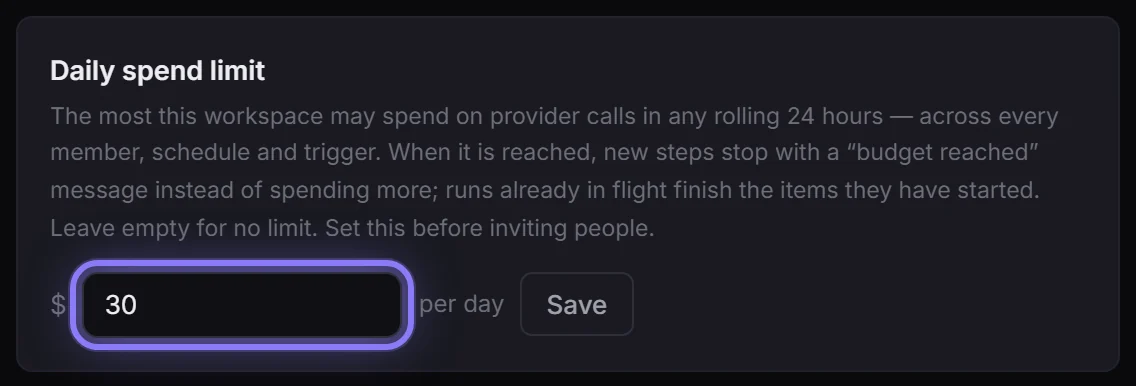
It is the most this workspace may spend on provider calls in any rolling 24 hours — across every member, every schedule and every trigger.
What happens when it is reached
- New steps stop with a clear "budget reached" message instead of spending more.
- Items already in flight finish. Nothing is left half-done or corrupted.
- A stopped step is a failure with a reason, visible in the run — never a silent hang, and never retried into the ceiling.
- Once the rolling window moves on, work proceeds normally again. There is nothing to reset.
Rolling, not calendar: a busy Monday evening still counts against Tuesday morning, which is the behaviour you want from a guard.
Why it is counted from booked cost
The ceiling is measured against what runs have actually booked in Postgres, not an in-memory tally — so it survives restarts, counts every path equally (someone pressing Run, a schedule firing at 3am, a webhook from Shopify, a script using the API), and cannot be sidestepped by using a different door.
Where it does not aggregate
Ceilings are per workspace. Two workspaces at $50/day is $100/day against one real provider bill, because each has its own ceiling and neither knows about the other. If you run more than one workspace, set each one deliberately with the total in mind.
The finer-grained ceilings
Two more levels, for when one number is too blunt:
- Per key — API keys page, a Spend cap column: a daily and a monthly figure per key. Blank means no cap.
- Per pool — Pools page, Daily spend cap on the pool itself.
The behaviour is the useful part: a key that reaches its cap is skipped like a cooling-down key, so the rest of the pool keeps serving — one spent key never stops the flow. Only when every key in the pool is blocked (or the pool's own cap is reached) does the step fail with a budget message.
All three levels apply at once and whichever is reached first wins: a key cap, its pool's cap, and the workspace daily limit. Setting none of them costs nothing — a ceiling that is not set is not even queried.
The workspace limit is still the one to set first: it is the number that bounds everyone, every schedule and every trigger at once.
Related habits
- Rehearse inputs in the Data tab for $0 before a big batch.
- Watch usage weekly rather than waiting for an invoice.
- Turn on notifications so an unattended failure — including a budget stop — reaches you.