Adding your API keys
Paste a provider key once; it is encrypted at rest, masked everywhere, and builders use it through a pool by name without ever seeing it.
›Read the transcript
FlowArray runs on your own API keys. Here's how to add one, share it safely, and keep spending in check.
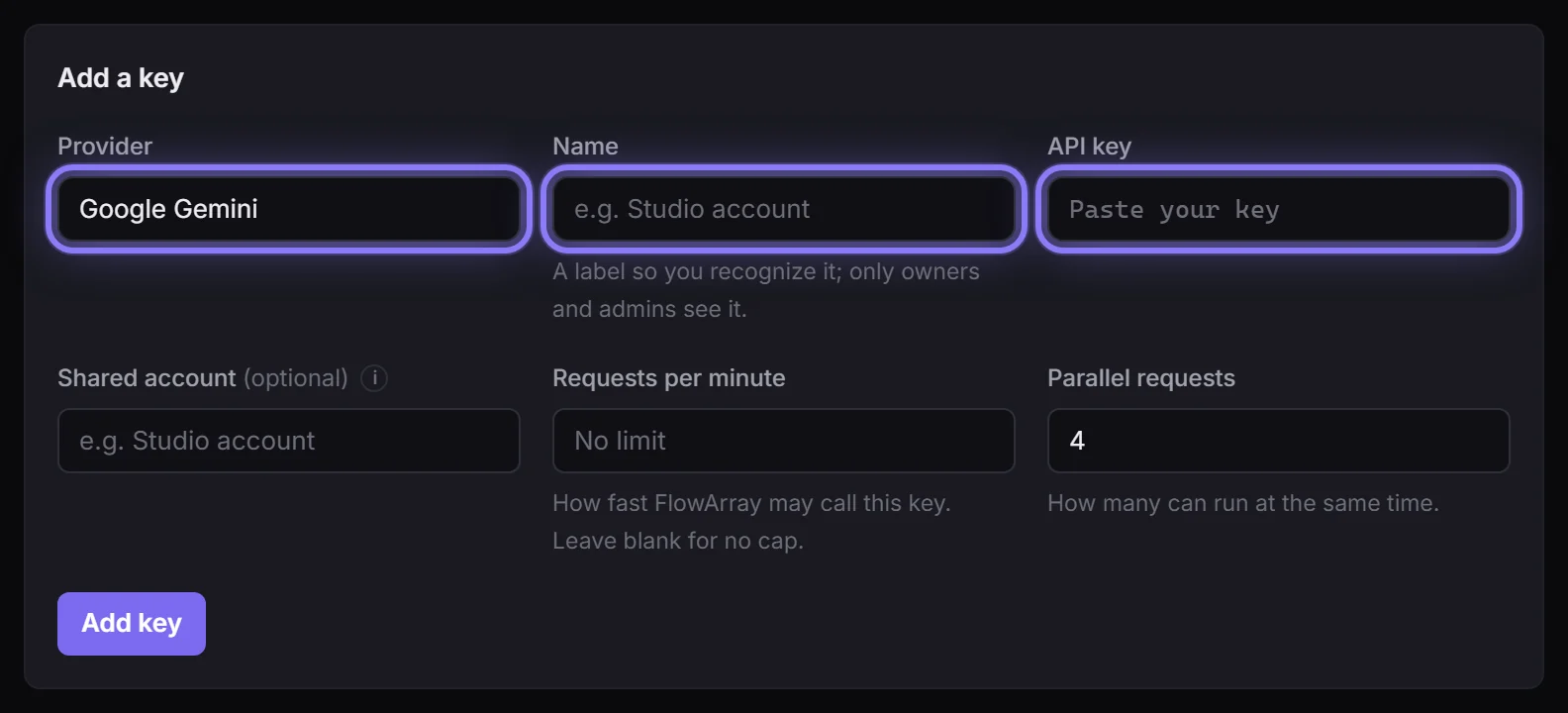
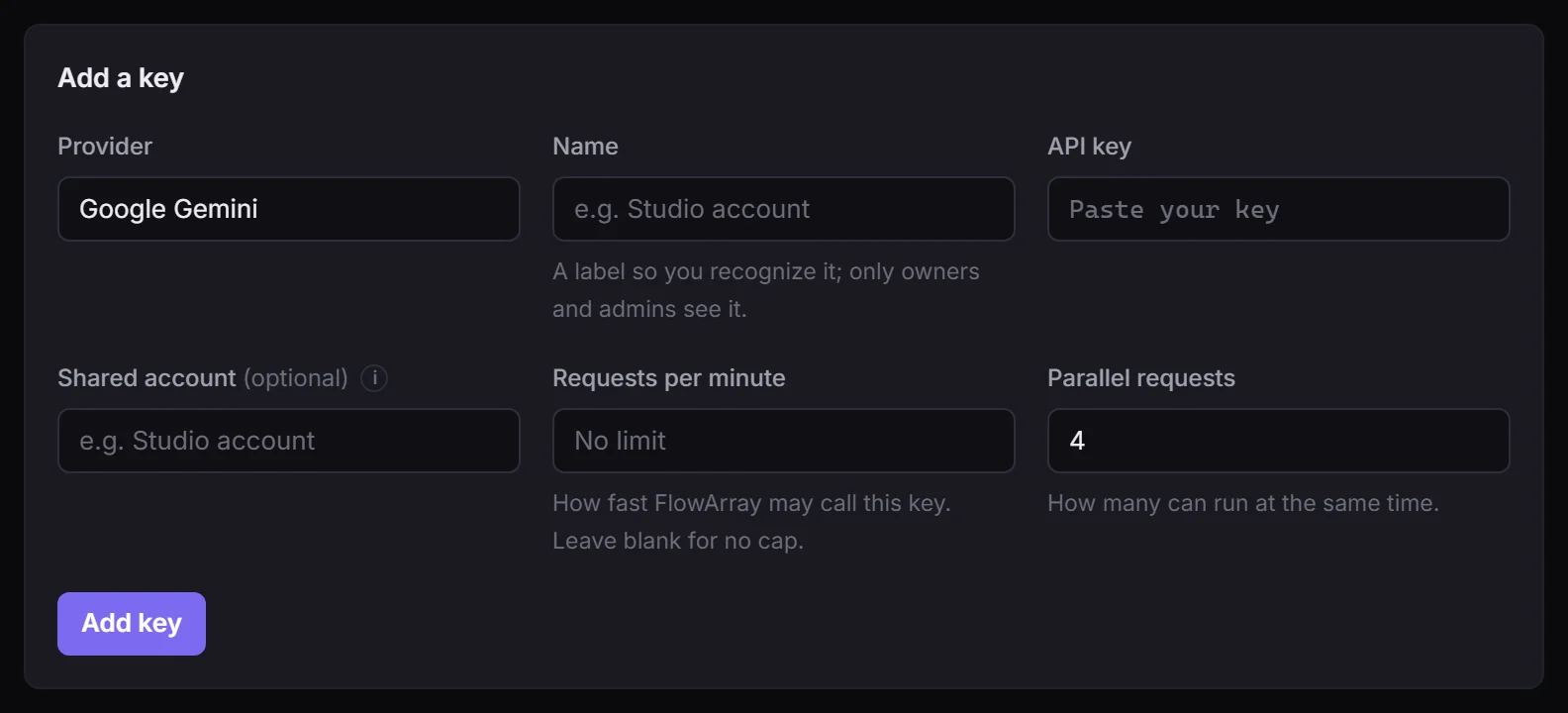
Open API keys and add one: the provider, a name for it, and the key itself.
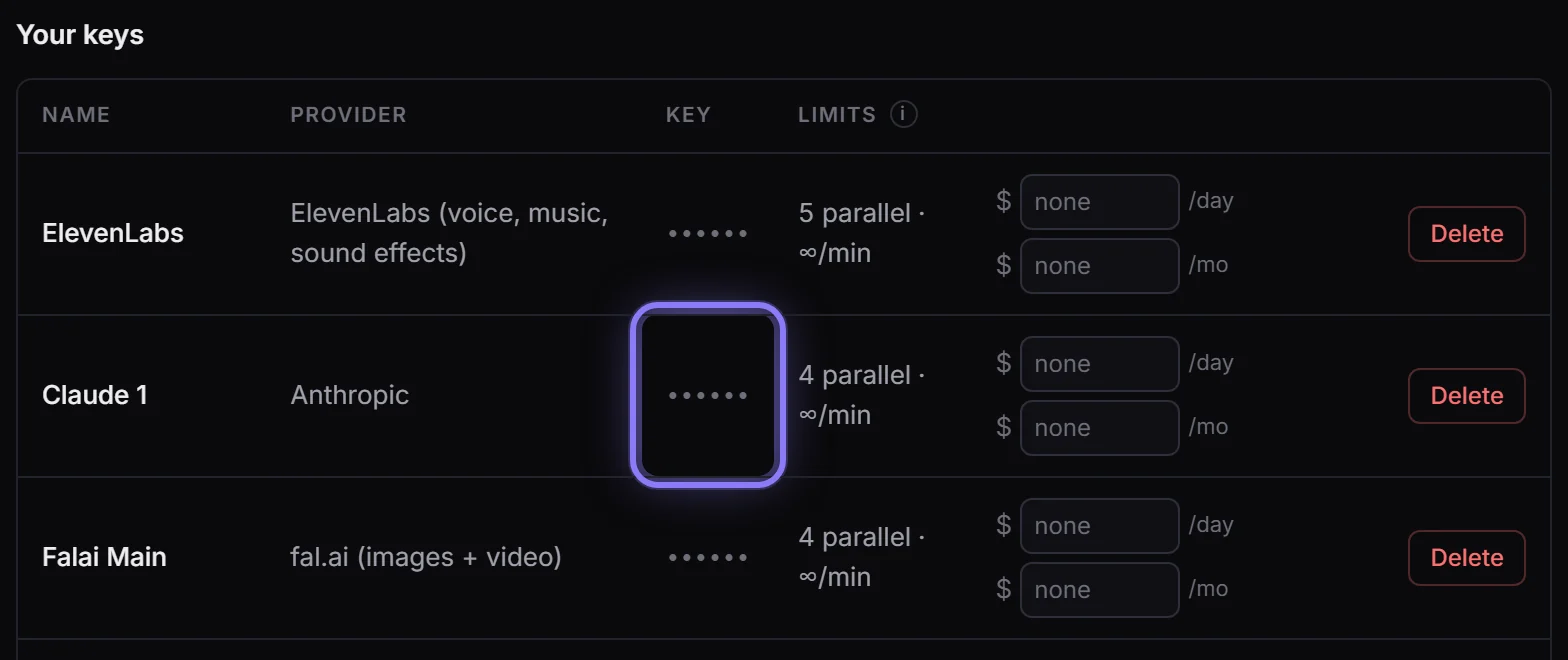
It's encrypted, and masked everywhere. Nobody reads it back out, not even you.
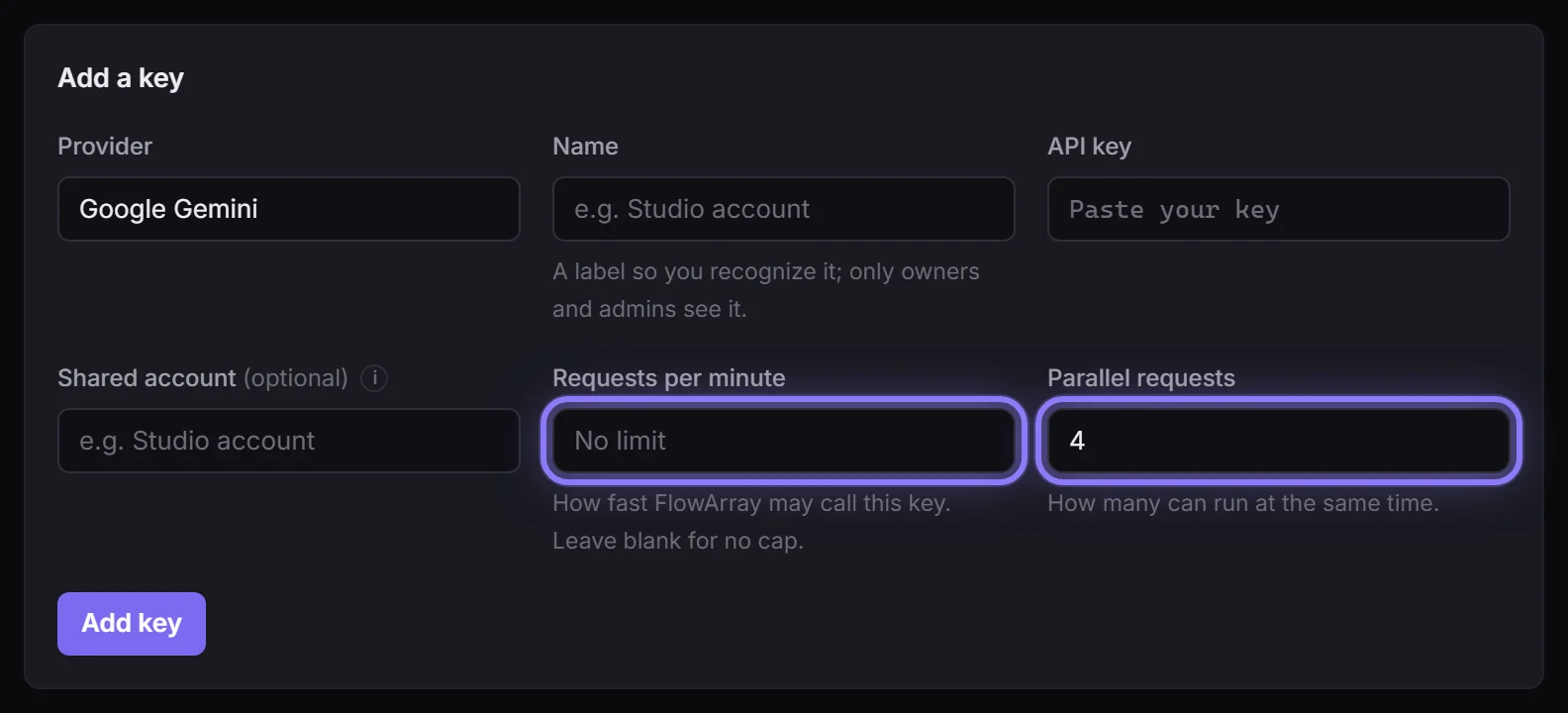
Set how many calls a minute, and how many at once, to match what your provider allows.
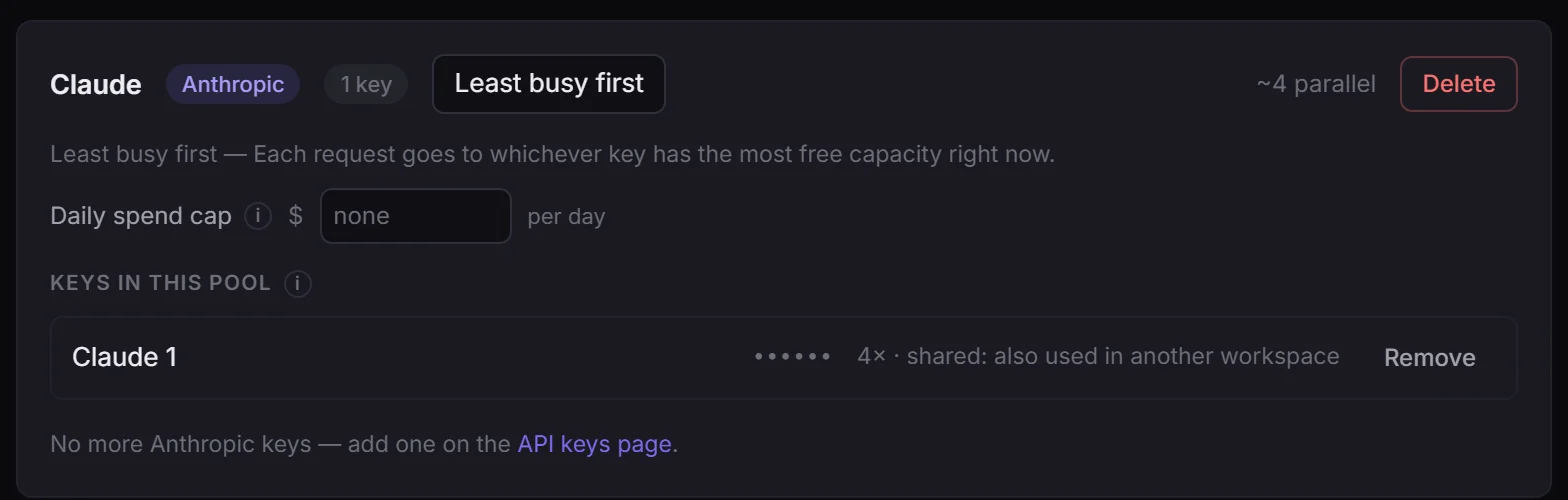
Then put it in a pool. Each step picks a pool by name, so people building flows never handle a key.
Several keys in one pool share the work, as far as your provider's limits allow.
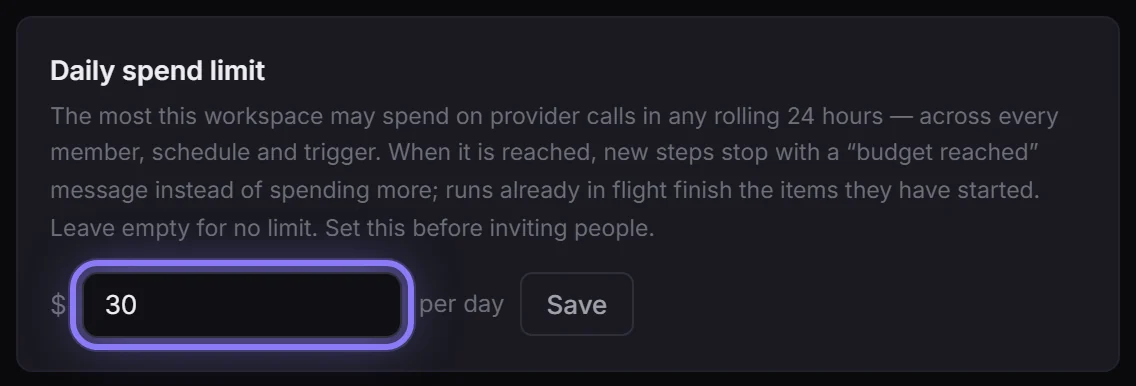
And set a daily spend limit in Settings. Once it's reached, new steps stop, and work already running finishes.
FlowArray. Your keys, your limits.
FlowArray runs on your own provider accounts, so you keep the pricing and the bill. Adding a key is a one-time job for an owner or admin; after that everyone else picks a pool by name, and one number in Settings bounds what the whole workspace can spend in a day.
Step 1: Open API keys and add one
Click API keys in the sidebar (owners and admins only; members don't see this page). Choose the Provider, give the key a Name you'll recognize, and paste it into API key.
Step 2: It's encrypted, and masked from then on
The key is encrypted the moment you save it. Under Your keys it shows as dots, to everyone: nobody reads it back out, you included.
Step 3: Set how fast, and how many at once
Requests per minute and Parallel requests: set them from what your provider allows, and FlowArray holds work back before it turns into a rate-limit error.
Step 4: Put it in a pool
Open Pools, create one (a name, the provider, how work is spread) and add the key. Each step picks a pool by name, so people building flows never handle a key. Several keys in one pool share the work, as far as your provider's limits allow: see Pools.
Step 5: Set a daily spend limit
Settings → Workspace → Daily spend limit: the most the workspace may spend in any rolling 24 hours, across every member, schedule and trigger. When it's reached, new steps stop with a "budget reached" message, and work already running finishes. See The daily spend limit.
In this article (10)
FlowArray runs on your own provider accounts. Adding a key is a one-time job for an owner or admin, and from then on the people building flows just choose a pool by name.
Adding one
API keys → provider, name, paste the key. Supported today:
| Provider | Used for |
|---|---|
| Google Gemini | Text, image generation, and Veo video (one key covers all three) |
| Anthropic | Claude text and vision — required for agent steps |
| OpenAI | Text |
| OpenRouter | One key, many models (Claude, GPT, Gemini) — and the only path that books actual charged cost |
| fal.ai | Image cleanup, upscaling, other hosted models |
| ElevenLabs | Voice-over, music beds and sound effects for video |
| OpenAI-compatible | Any endpoint that speaks the OpenAI API |
Name it after the account it belongs to ("Studio account", "Client X's key") — that name is what shows up in run monitors and pool lists, and it is how you will tell two keys apart six months from now.
What happens to the key
- Encrypted at rest, and only ever decrypted to make the provider call.
- Masked everywhere in the interface — nobody, including you, reads it back out.
- Never put into a prompt, a log, an export, or a share. Not in an exported workflow file, not in a shared run, not in a notification.
- Members and viewers cannot see the API keys page at all, and the server refuses their requests to it regardless. They run flows through a pool by name. See Roles.
The two rate settings
- Requests per minute — how fast FlowArray may call this key. Leave blank for no cap.
- Parallel requests — how many calls may be in flight at once.
Set these from what your provider actually allows. They are what lets FlowArray hold work back before it becomes a rate-limit error, which is the difference between a batch that finishes and a batch that half-fails.
Shared account: the setting people skip
If two keys belong to the same provider account, organisation or project, they share one underlying rate limit. Give them the same Shared account name and FlowArray treats them as one bucket instead of assuming double capacity.
This matters because several providers meter per organisation or per project, not per key — OpenAI is per organisation, Gemini per Google Cloud project. Two keys from one project are one lane, and telling FlowArray otherwise just produces avoidable 429s.
Next
A key does nothing until it is in a pool — that is what a flow points at.